Commerce & dynamic pricing
Dynamic pricing you can explain to a customer.
Rules by breed, size, coat, day, season and lead time that stack in the order you choose. Auto-yield for stays that reads occupancy, demand and lead time inside your floor and ceiling, and tells the parent why. Every surcharge as its own line on the invoice. And an experiment runner to test a price before you commit to it.
- Quote equals charge, always
- Yield is off until you switch it on
- Stripe under the hood
Invoice #1042 · Jamie R. · Bella
Full groom · Cockapoo · medium · Sat 13 Sep
- Day of weekSaturday +10%+$10.08
- Coat conditionMatted · de-mat+$18.00
- First visitNew client −5%−$4.27
Explained at the counter: “It's $124.57 today: Saturday, and Bella needed a de-mat. Your first-visit discount is already in.”
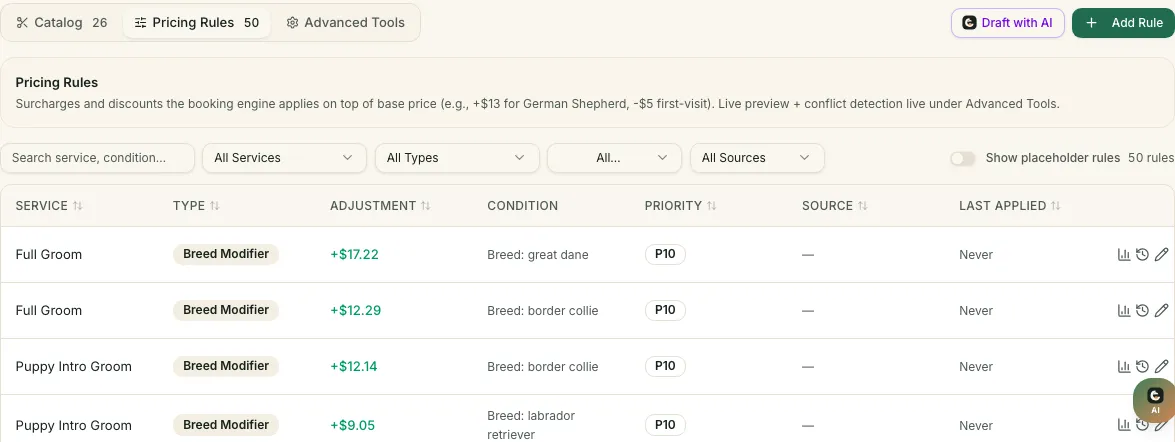
Pricing rules
Rules that stack, in the order you choose.
A rule is a condition and an adjustment: a percentage or a fixed amount, up or down, sometimes extra minutes too. Give each a priority and a validity window, scope it to a location, and the catalogue prices every booking the same way the invoice will.
- Priority and validityRules apply in the order you set. A holiday rule can start and end on the dates you choose and never needs deleting.
- Live preview and conflict detectionSee the price a rule produces before it goes live, and get told when two rules fight over the same booking.
- A history you can readEvery change to a rule is kept, so a surprising price on an old invoice can be traced to the rule that made it.
What a rule can look at
- Breed & breed group
- Size & weight
- Coat type & condition
- Time of day
- Day of week
- Holiday & season
- Lead time
- Add-ons
- Staff tier
- Per location
- Validity window
- Duration adjustment
Adjustments: percentage or fixed, surcharge or discount, plus extra minutes on the slot when a coat needs them.
Try it
Watch the rules stack.
Pick a service, a size, a coat, a day, a lead time and an add-on. The receipt rebuilds with every rule on its own line. The numbers are invented; the mechanics are the product's.
An illustration · your rules, your numbers
The receipt, line by line
Fixed adjustments apply first, percentage rules on the subtotal, in the priority you set. Every applied rule is a sub-row on the real invoice, and the same calculation prices the quote and the charge.
Auto-yield · Standard suite · Maple Lodge
Base $65 · floor $58 · ceiling $79 · on for this location
Occupancy
41% booked
83% booked
96% booked
Day-of-week demand
Quiet weekday
Fridays run full
Peak weekend
Lead time
9 days ahead
2 days ahead
tomorrow
The quote and the charge run through the same calculation, so what the parent saw is what they pay. The dominant signal is the reason they see.
Auto-yield for stays
A thermostat, not a calendar.
Peak-date pricing charges more on the dates you guessed months ago. Auto-yield reads the house tonight: how full the suites are, how that day of the week usually sells, and how far ahead the booking is. It nudges the rate inside the floor and ceiling you set, and the strongest signal becomes the reason the parent sees.
- Three live signalsOccupancy, day-of-week demand, lead time.
- Your boundsA floor and a ceiling per location. It never leaves them.
- A reason, not a shrug“Only 3 suites left” on the booking page, not a silent number.
- Off until you say soPer location. Catalogue rules keep working either way.
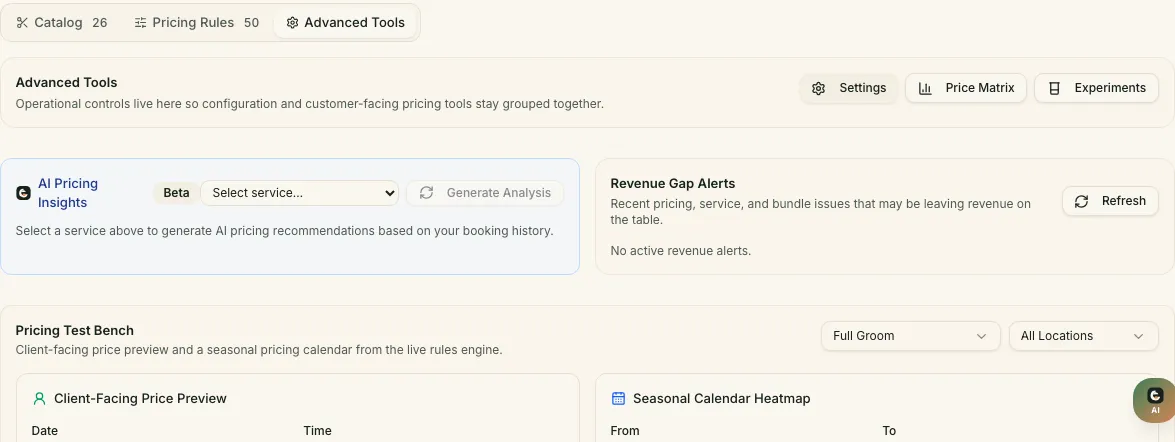
Pricing experiments
Test a price before you commit to it.
Two versions of a rule, split between bookings. The card shows the booked rate, the revenue per booking and a confidence figure for each, and the experiment stops itself at the confidence you choose or after the days you set. To our knowledge, no other pet-care platform runs one.
- Client-value pricing profiles
- Stay rate suggestions
- Rule performance: which rules earn and which annoy
- Revenue-gap alerts
- No-show risk priced into a deposit
The models behind these read the same record the front desk writes to. Every suggestion shows its reason.
Saturday surcharge · experiment
Running · day 18 of 30 · Field & Clay Downtown
Variant Acurrent rule
+10% on Saturdays
- Booked
- 62%
- Revenue / booking
- $118
Variant Bchallenger
+15% on Saturdays
- Booked
- 59%
- Revenue / booking
- $123
Auto-stops at 95% confidence or 30 days, whichever comes first.
The Billing Hub
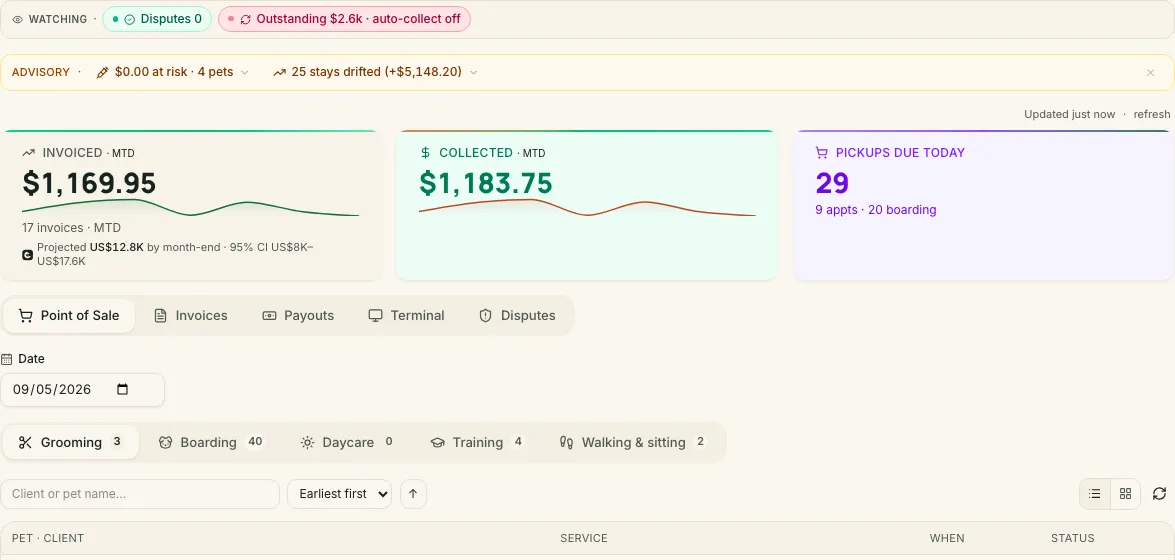
Get paid at the counter, by link, or from the card on file.
Point of sale and the invoice ledger in one place, on Stripe. Card numbers never touch enpet.
Retail on the same invoice
The shampoo, the brush and the groom, one receipt.
Retail prices and tax per product, a picker on the invoice, stock that falls as you sell, and purchase orders when it runs low.
Checkout · Bella · Jamie R.
Full groom with Sam · finished 3:24 pm
- Full groomSam · 90 min$85.00
- Oatmeal shampoo 250 mlRetail · qty 1 · taxable$14.00
- Slicker brushRetail · qty 1 · taxable$18.00
- Subtotal
- $85.00$99.00$117.00
- Sales tax · products
- $0.00$1.82$4.16
- Total
- $85.00$100.82$121.16
Stock updated · shampoo 11 left · brush 3 left
- Oatmeal shampoo 250 mlSH-OAT-250 · 12 in stockSH-OAT-250 · 11 in stock$14.00Added
- Slicker brushBR-SLK-01 · 4 in stock3 in stock · low stock$18.00Added
- Dental chews · 6CH-DNT-06 · 30 in stockCH-DNT-06 · 30 in stock$9.00Added
Slicker brush is below its minimum of 5. Reorder 12 → draft a purchase order?
Questions
What owners ask about pricing.
Is dynamic pricing on by default?
No. Auto-yield is off for every location until you switch it on, and it only ever moves a rate between the floor and ceiling you set. Catalogue rules apply first; yield is a layer on top for boarding and daycare.
Will a client see why the price changed?
Yes, twice. When booking, the dominant signal is shown as a plain reason such as “Only 3 suites left”. On the invoice, every applied rule is its own sub-row, so the front desk can explain the difference between the catalogue price and the total.
Can the quote and the charge ever differ?
They run through the same calculation at the same point in the code, for the public booking page and for checkout. What the parent saw is what they are charged.
Can I test a price before committing to it?
Run an experiment: two versions of a rule, split between bookings, with booked rate, revenue per booking and a confidence figure side by side. It stops itself at the confidence you choose or after the days you set.
Price the way you already think, then let the numbers talk back.
Rules today, yield when you are ready, and an experiment whenever you are curious. Prices on the pricing page come from the live catalogue.